By Lisa DeNoia | Reading time: 11 min
In This Article
- Why you’re integrating two systems in the first place
- The trap: replicating your backend data model in Salesforce
- What elegant integration actually looks like
- Signs your integration ruined Salesforce’s simplicity
- Integration design vs. integration development
- How to approach your Salesforce ERP integration differently
- The business case for keeping Salesforce simple
- Conclusion
Companies spend six figures connecting Salesforce to their ERP, then wonder why their sales team stopped using Salesforce altogether. The integration worked. The data flows. But something went wrong.
Here’s the counterintuitive truth about Salesforce ERP integration, drawn from my two decades of implementation experience: the easiest way to mess it up is to try to simplify your integration by replicating your ERP system’s data model in Salesforce.
It sounds logical. If you mirror the backend structure in Salesforce, the integration becomes straightforward. The data maps cleanly. The developers finish faster. But you’ve just made Salesforce as complicated as the system your salespeople were trying to avoid.
This article explains why this happens, how to recognize it, and what elegant integration actually looks like. If you’re planning an integration project or trying to figure out why your current one made things worse, this is the strategic perspective most technical guides skip entirely.
Why you're integrating two systems in the first place
Before diving into integration design, step back and ask a fundamental question: why are you maintaining two systems at all?
Usually when companies take on the expense and the burden of maintaining an integration between two systems, it’s because they have a legitimate reason for using two systems. Each system serves a different purpose for different people.
Consider the typical Salesforce and ERP pairing. Salesforce, by its very nature, has a pretty simple core data model. That’s why salespeople love it. Accounts, contacts, opportunities, activities. The interface is designed for people who are on the phone with customers, need to look something up quickly, and move on. Speed and simplicity matter.
ERP systems and financial systems have very complex data models. Finance and operations people love that because of the reporting. They need to track inventory at the SKU level, manage complex pricing rules, handle multi-currency transactions, and generate audit trails. The complexity exists for good reasons.
Here’s the conflict: salespeople and customer-facing service people hate those backend systems. Why? Because they traditionally do not focus on a UI that’s user-friendly when you’re trying to talk to customers and look up or enter data at the same time. Salesforce shines there, as long as you don’t mess it up.
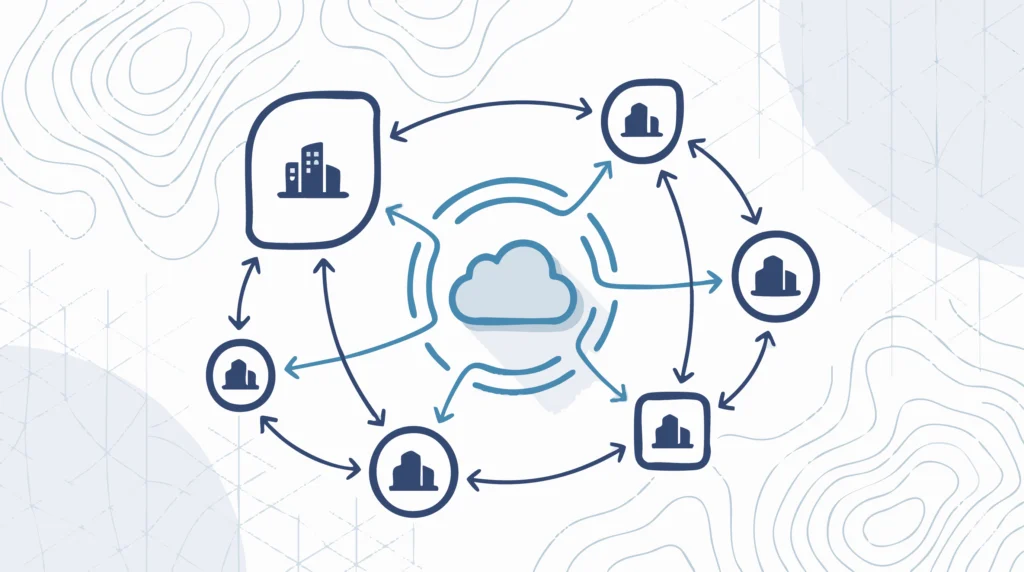
Understanding what an integration really is means recognizing that you’re not trying to make two systems identical. You’re trying to let each system do what it does best while sharing the data that both need.
The trap: replicating your backend data model in Salesforce
Here’s how integration projects go sideways.
The project kicks off. Business requirements get documented. Someone says, “We need customer data from the ERP in Salesforce.” The requirements list grows: order history, pricing tiers, credit limits, shipping addresses, tax exemptions, payment terms, contract hierarchies.
Developers look at the ERP schema. They see how all these entities relate. And they think: if we recreate this structure in Salesforce, the integration becomes simple. Direct field-to-field mapping. Clean data flow. Easy to maintain.
So they build it. Custom objects for pricing tiers. Junction objects connecting accounts to shipping locations to tax jurisdictions. Lookup relationships mirroring the ERP’s foreign keys. Validation rules enforcing the same business logic the ERP enforces.
Too often, companies task developers with integration projects without taking the time to do an integration design upfront. The developers take requirements too literally and are unable to see the forest through the trees when it comes to designing integrations like this.
The integration works technically. Data syncs correctly. The project closes successfully.
Then salespeople try to use it.
Suddenly, creating a new opportunity requires filling out 15 fields that only matter to finance. Looking up a customer account means scrolling through tabs of data copied from the ERP. Running a simple pipeline report requires understanding how pricing tiers, contracts, and payment terms interrelate.
The logic is brutal but simple: if you’re going to do that, just put everybody in the backend system and get rid of the frontend system. You’ve spent money to recreate complexity rather than bridge two systems.
What elegant integration actually looks like
The best integrations are elegant in their ability to connect two systems while maintaining two different data models.
This means accepting that Salesforce doesn’t need to know everything the ERP knows. It means designing the integration around what sales and service teams actually need to do their jobs, not around what’s technically possible to sync.
Consider the difference between these two approaches:
Over-engineered approach: Sync the complete customer record from the ERP, including all pricing tiers, payment history, credit applications, shipping preferences, tax certificates, and contract amendments. Create custom objects in Salesforce to hold all this data. Build automation to keep it current.
Elegant approach: Sync the customer name, primary contact, current credit status (good/hold/review), and a link to view full details in the ERP when needed. Let Salesforce users see what they need at a glance and access the ERP for the rare occasions they need more.
The elegant approach requires harder thinking upfront. You have to decide what “minimum viable data” means for your sales process. You have to push back when someone says “just sync everything to be safe.” You have to accept that some data lives in one system and not the other.
But the payoff is substantial. Your salespeople keep using Salesforce because it stays simple. Your integration has fewer moving parts to break. Your maintenance costs stay low. And you actually get the benefit of having two specialized systems instead of one bloated one.
The principle here parallels the configuration vs customization decision in Salesforce generally. Just because you can build something doesn’t mean you should.
Signs your integration ruined Salesforce's simplicity
How do you know if your Salesforce ERP integration crossed the line from useful to overcomplicated? Watch for these warning signs:
Salespeople avoid the system. They keep their own spreadsheets. They ask admins to look things up for them. They enter data at the last minute before pipeline reviews. This isn’t laziness. It’s a rational response to a system that makes their job harder instead of easier.
Training takes weeks instead of hours. New hires used to get productive in Salesforce within their first few days. Now there’s a two-week training program just to understand how the data model works. That’s a red flag.
Reports require a finance degree to understand. If your sales manager can’t build their own pipeline report because the object relationships are too complex, you’ve imported ERP complexity into a system designed for simplicity.
Custom objects mirror ERP tables exactly. Look at your Salesforce schema. If you see objects named things like “Price Book Line Item Detail” or “Contract Amendment History” that map one-to-one with ERP tables, you’ve replicated rather than integrated.
Users constantly ask “which system do I update?” When the same data appears to live in both places and users don’t know which is authoritative, your integration created confusion rather than clarity.
According to industry research, 67% of Salesforce implementations fail to meet their original objectives. User adoption problems driven by system complexity are a leading cause. If your integration is showing signs it needs saving, overcomplicated data architecture may be the root cause.
Integration design vs. integration development
The distinction between integration design and integration development explains why so many projects end up in trouble.
Integration development is the technical work: writing code, configuring middleware, mapping fields, handling errors, testing data flow. Developers are good at this. Give them clear requirements and they’ll build exactly what you specified.
Integration design is the strategic work: deciding what data needs to flow, in what direction, at what frequency, for what purpose. It requires understanding both systems and, more importantly, understanding how people actually use those systems day to day.
The problem is that many integration projects skip design and jump straight to development. Business stakeholders write requirements based on what they think they need. Developers implement those requirements literally. Nobody steps back to ask whether the requirements actually serve the business goal.
Questions that belong in integration design, not development. (Salesforce provides official integration patterns documentation covering technical implementation patterns, but these strategic questions must be answered first.)
- What’s the minimum data a salesperson needs to close a deal?
- When they need more detail, can they click through to the ERP instead of storing it in Salesforce?
- Which system owns each piece of data, and what happens when they conflict?
- What’s the cost of syncing this data vs. the cost of looking it up when needed?
- If we add this data to Salesforce, who will maintain it and keep it accurate?
Skipping these questions is one of the key indicators a technology project is likely to fail. Technical success (data syncs correctly) isn’t the same as business success (users adopt the system and work more effectively).
A good integration design means you’ll end up with the simplest possible integration to do what you need. That outcome requires spending time on design before anyone writes code.
How to approach your Salesforce ERP integration differently
If you’re planning an integration or reconsidering an existing one, here’s a framework for keeping Salesforce simple while connecting to your ERP:
Start with user workflows, not data schemas
Don’t begin by looking at what data exists in the ERP. Start by watching how sales and service teams actually work. What do they look up? What do they enter? Where do they get stuck? Design the integration around those workflows, not around the available data.
Define "need to know" vs. "nice to know"
For every piece of data someone suggests syncing, ask: does the Salesforce user need this to do their job, or would it just be convenient? Nice-to-know data has a cost. It clutters the interface, complicates reporting, and creates maintenance burden. Be ruthless about excluding it.
Use links instead of copies when possible
Not every data need requires syncing. Sometimes a hyperlink to view the record in the ERP is better than copying the data to Salesforce. The ERP becomes the system of record. Salesforce stays simple. Users get what they need without bloating the data model.
Invest in design before development
Hire an architect or consultant who understands both systems and, critically, understands user experience. Have them observe how people work before designing the integration. Pay for design work upfront. It costs less than rebuilding an overcomplicated integration later.
Test with real users before go-live
Before launching, have actual salespeople and service reps use the integrated system for real work. Not a demo. Real work with real data under real time pressure. If they struggle, simplify before you launch.
The business case for keeping Salesforce simple
Integration projects are expensive—and technical debt from overcomplicated implementations can account for up to 40 percent of IT budgets. Companies reasonably want to maximize their investment. The temptation is to sync as much data as possible so the investment “does more.”
But the real ROI of Salesforce ERP integration comes from adoption, not data volume. A simple integration that salespeople actually use delivers more value than a comprehensive integration they avoid.
When you get integration design right, your salespeople are happy because Salesforce stays fast and intuitive. Your operations people are happy because they get the data they need from the ERP without depending on sales to enter it twice. Your finance people are happy because they keep their complex reporting in a system designed for it. And you have fewer problems down the road, including lower cost of maintaining the integration you built.
Companies with effective Salesforce-ERP integration report 35% faster quote-to-cash cycles and 26% improvement in employee efficiency. Those gains come from systems that work together while respecting what each does best.
Conclusion
If you’re taking on the expense of integrating two systems, remember why you have two systems in the first place. Salesforce exists to give customer-facing teams a simple, fast interface. Your ERP exists to handle the complexity that finance and operations need. Integration should preserve those strengths, not erase them.
The biggest Salesforce ERP integration mistake isn’t technical. It’s strategic: replicating your backend’s complexity in a system designed for simplicity.
Before your next integration project, invest in design. Ask what your users actually need. Push back on requirements that add complexity without clear benefit. Keep Salesforce simple.
If your current integration already crossed that line and your team has stopped using Salesforce effectively, that’s fixable. Sometimes the path forward is simplifying what you’ve built rather than adding more.
Key Takeaways
- You’re integrating two systems because each does something different well. Don’t erase that difference.
- Replicating your ERP’s data model in Salesforce makes Salesforce as hard to use as the ERP.
- Elegant integration maintains two different data models while sharing minimum viable data.
- Integration design (what to sync and why) matters more than integration development (how to sync it).
- The ROI of integration comes from user adoption, not data volume. Keep Salesforce simple.
About the Author
Lisa DeNoia, Principal, Port St. Bd
Lisa DeNoia is the Principal of Port St. Bd, where she helps businesses transform their operations through strategic technology implementation.
With expertise in Salesforce, ERP integration, and business process optimization, Lisa has guided organizations across industries to achieve measurable improvements in efficiency and growth.